WePadel Pass
One membership. Many clubs. All the padel.
The player's app. One fee a month, credits in your account, and you spend them wherever you want to play: a court, a lesson or an open match, at any affiliated club.
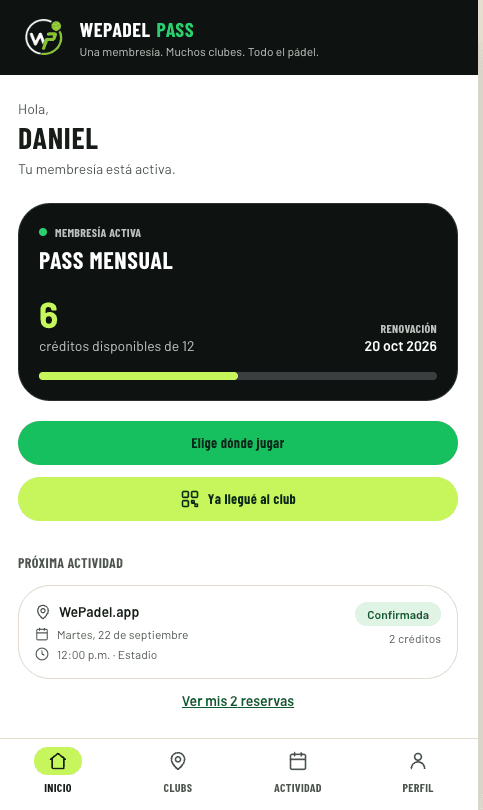
- STEP 01
You subscribe once
One fee a month and your membership is live. Your credits land at the start of every period and you see them the moment you open the app.
- STEP 02
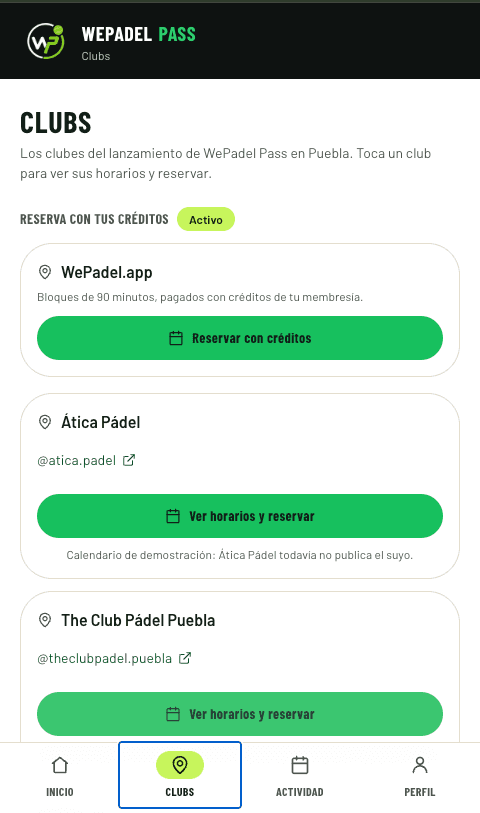
You pick the club
The affiliated clubs, with their real availability. The same balance works at all of them: no more keeping a separate arrangement with every court.
- STEP 03
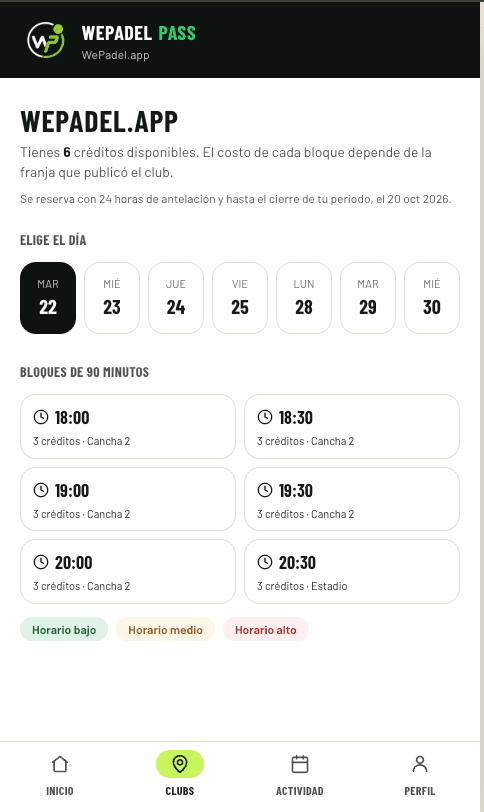
You pick the time and pay in credits
90-minute blocks. Each one costs 1, 2 or 3 credits depending on the club's time band, and you know which before you book.
- STEP 04
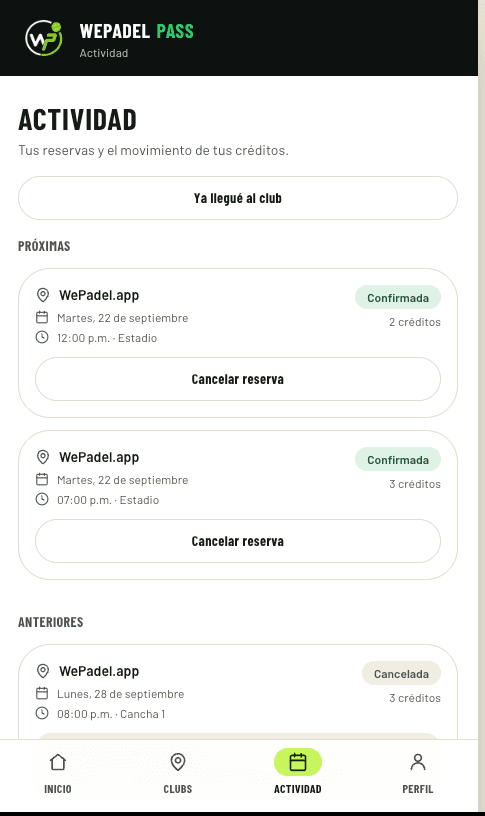
You arrive, check in and play
You scan the club's poster on the way in and the court is yours. Every booking and every credit is recorded, with its reason.
WePadel Pass poster
Your Padel Club
The club prints it and puts it up at the front desk. Members scan it on arrival.

DB8055
If the camera won't cooperate, the player types this code into the app.
This is the club's poster.
No stopping at the desk to give your name. You scan, and your arrival is recorded on the spot.
- The club sees who arrived and when, without keeping a list by hand.
- You have proof that you used your booking.
- No camera or no signal: you type the poster's six-character code.
Everything WePadel Pass does
Credits that work everywhere
One balance for any affiliated club. No more keeping a separate arrangement with every court.
Book in seconds
The club's real availability, live. Pick a time, your credits come off, done.
Cancel and get your credits back
Cancel inside your plan's window and the credits go back to your balance in full.
A statement you can read
Every credit in and out, with its date and its reason. You never have to take a number on faith.
Check in on arrival
Your arrival is recorded at the club. The club knows you came and you have your receipt.
Installs like an app
It goes on your home screen and opens offline. Nothing to find in a store.
Lessons, clinics and open matches
The same membership for everything played at the club, not just renting the court.
One WePadel account
The same account you compete with in tournaments, leagues and open matches. Your history doesn't split in two.
It installs from the browser on iPhone and Android. There is nothing to download.
Questions
What everybody asks.
- How do I install it on my phone?
- In under a minute, from the browser. On Android, Chrome offers you «Install app». On iPhone, in Safari you tap Share and then «Add to Home Screen». It ends up with its icon on your home screen next to your other apps and opens full screen: no App Store, no Google Play, and without taking up what a normal app takes up.
- Does it work at any club?
- At the affiliated clubs, which are listed inside the app. Each club decides when it joins, and the list keeps growing.
- What if I can't make it?
- You cancel from the app. If you do it inside your plan's cancellation window, the credits go back to your balance in full, and you see it in your credit history straight away.
- I already have a WePadel account — do I need another one?
- No. It's the same account you play tournaments, leagues and open matches with. Your player history and your membership live together.
- How do I get into the club on the day I play?
- You scan the poster the club keeps at the front desk from the app, and your arrival is recorded. If the camera won't cooperate, you type the poster's six-character code.
Your next court is two taps away.
Open WePadel Pass with your WePadel account and start by choosing where you want to play.